Details
Set precise parameters once—budget, property types, locations, timing—and let our system continuously scan for opportunities. Update anytime as your needs evolve.
Setting Your Criteria
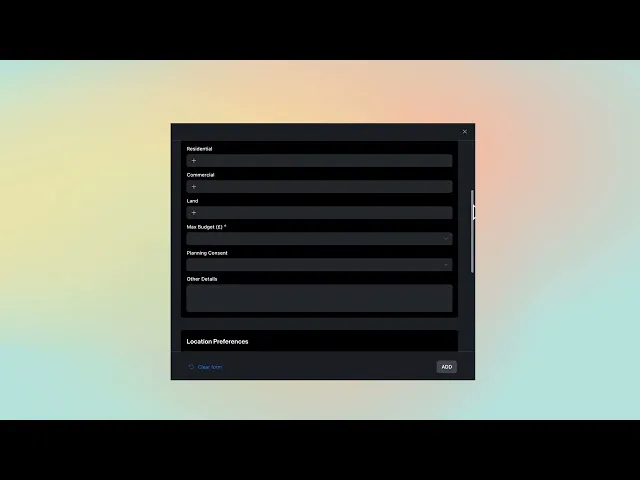
Navigate to My Profile and define what you're looking for. Set maximum budget, select property categories (residential, commercial, land & development), specify planning consent requirements, and detail location preferences. The more specific your criteria, the more precise your matches.
For buyers, this becomes your ongoing search profile—our AI constantly monitors new properties against your requirements with instant notifications when matches appear. For agents, set different criteria for each client you manage, ensuring personalized matching across your entire portfolio.
Your criteria drives our 47-parameter matching algorithm analyzing budget, location, property type, timing, privacy requirements, transaction history, and relationship networks. Within 60 seconds of a new property upload, the system identifies potential matches and alerts you. Edit criteria anytime—add new property types, adjust budget ranges, change location preferences—and matching updates immediately.
WHAT'S INCLUDED:
Multi-Category Search - Set different parameters for residential, commercial, and development properties
47-Parameter Analysis - Comprehensive matching beyond basic filters
Continuous Monitoring - System scans new inventory 24/7 against your criteria
Instant Match Notifications - Get alerted within 60 seconds of new opportunities
Edit Anytime - Update criteria as needs change with immediate matching updates