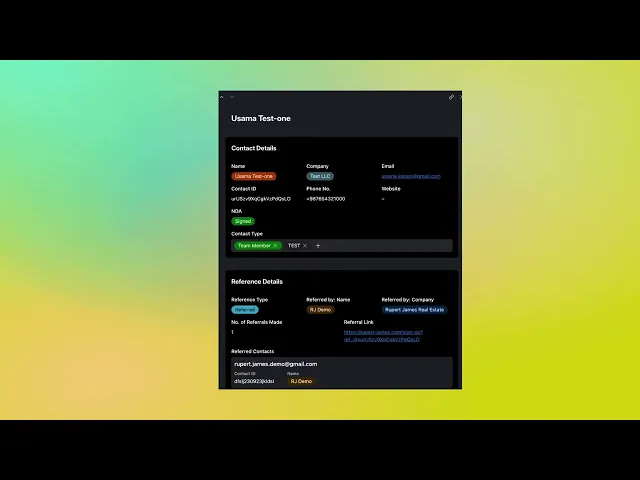
Details
Add clients on their behalf, set individual criteria for each, and receive all matches directly. Your clients remain completely confidential to other platform users.
Managing Multiple Client Portfolios
The Contacts Management section lets agents add clients directly without requiring them to access the platform. Use Add New Contact to input client details, assign them to yourself, and set their specific buy criteria—budget, property preferences, locations, timing requirements.
Here's the critical advantage: when properties match your client's criteria, notifications come to you, not them. You control which opportunities to share, when to present them, and how to position each deal. Your clients never see the platform directly unless you want them to—maintaining your role as their trusted advisor.
Each client can have completely different criteria. Client A seeks residential properties under £5M in London. Client B wants commercial opportunities in Manchester. Client C focuses on development land nationwide. Set it all up once, and the system continuously scans for matches across your entire portfolio with role-specific notifications keeping you in control.
Your added contacts remain visible only to you—other agents and buyers cannot see your client list, protecting your relationships and preventing client poaching. Edit criteria anytime as client needs evolve, view all their matched opportunities in one dashboard, and track deals across your entire managed portfolio.
WHAT'S INCLUDED:
Unlimited Client Accounts - Add and manage as many clients as needed
Individual Criteria Per Client - Set unique search parameters for each portfolio
Agent-Controlled Notifications - All matches come to you, not directly to clients
Complete Client Privacy - Your contacts invisible to all other platform users
Centralized Deal Management - Track all client deals from one dashboard